
Getting Started
First Steps for Tenant Administrators
After signing up and receiving your Tenant Admin user details, these are the essential first steps required to initialize and configure your organization's workspace:
Populate the Employee Database
Compile and upload your active roster. You can download the pre-formatted Excel template, fill it with your team's details, and upload employees in bulk to seed your user directory instantly.
Add your Baseline Hazards — Risk Library
Configure your organization's threat posture. Seed the central Risk Library with baseline hazards and exposures specific to your industrial sector and geographic locations.
Create Checklist Form Templates
Deploy digital inspections. Use the Dynamic Form Builder or seeded template store to create the custom checksheets, safety logs, and audits for operators to submit in the field.
Setup User Roles & Access Controls
Define administrative boundaries. Configure your organizational Roles (such as Safety Rep, Manager, or Clerk) and customize granular access permissions (CRUD toggles) for each.
Invite your Operators & Staff
Onboard your personnel. Navigate to User Management to invite users to your tenant directory, assigning them their appropriate operational role for system access.
Module 1: Analytics Dashboard & Tenant Config
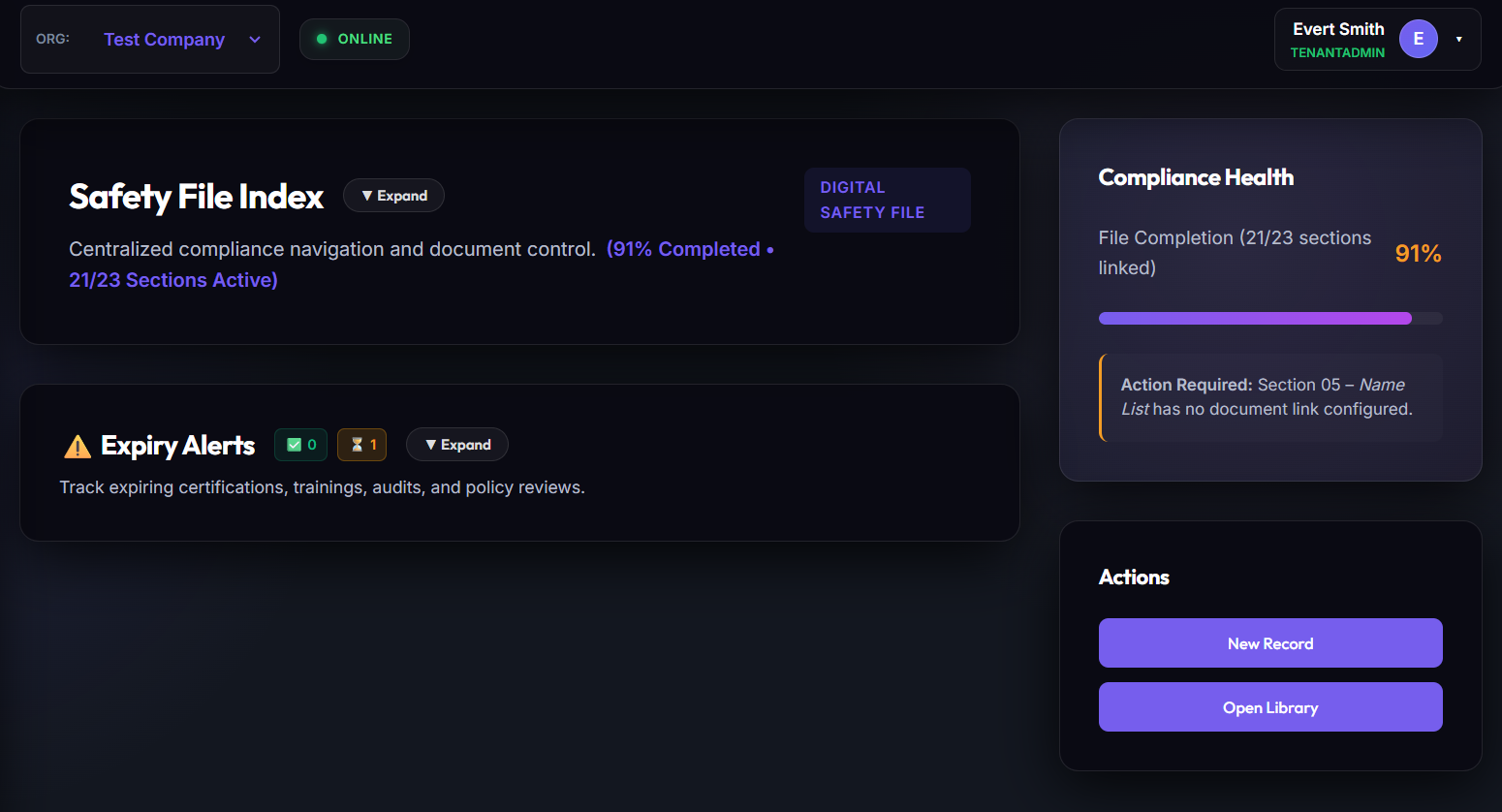
The Operational Dashboard is the primary landing area. It aggregates checklist completion statistics, critical risk tallies, active employee logs, and safety activity counts in real-time. This layout is fully responsive, resizing for desktop monitors down to mobile field-inspection devices.
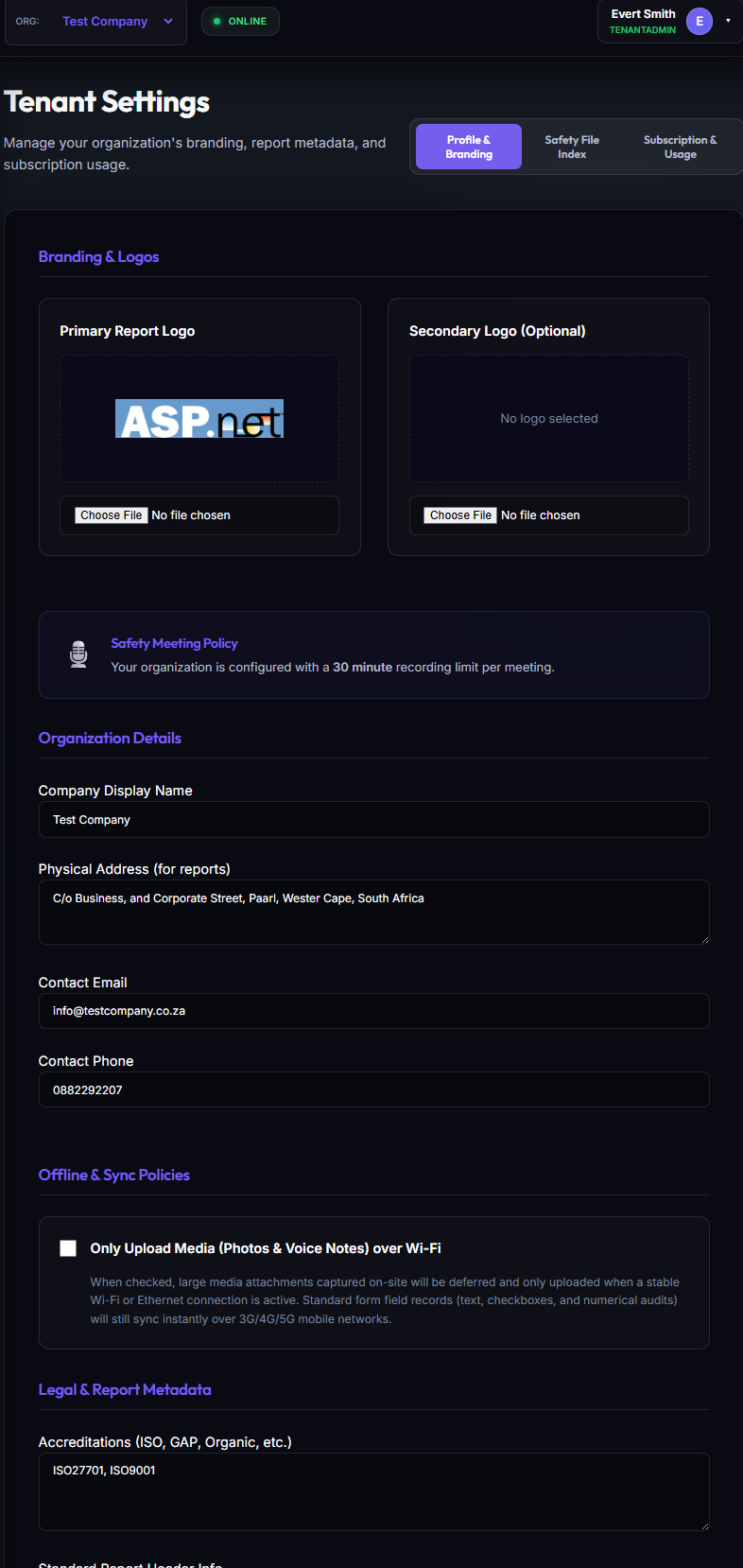
Tenant Workspace Configuration
From the Tenant Settings panel, Tenant Administrators can customize workspace metadata, configure business regions, choose currency configurations, choose industrial sectors, and link external document storage databases.
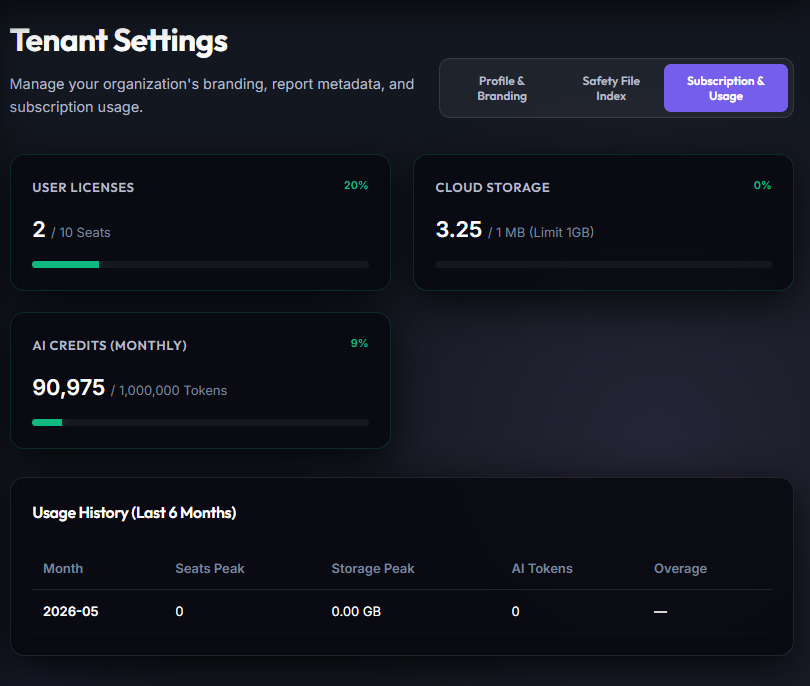
Platform Usage Metering
The SaaS Usage view provides absolute accountability regarding plan quotas, actively stored document bytes, data transactions, and active user limits.
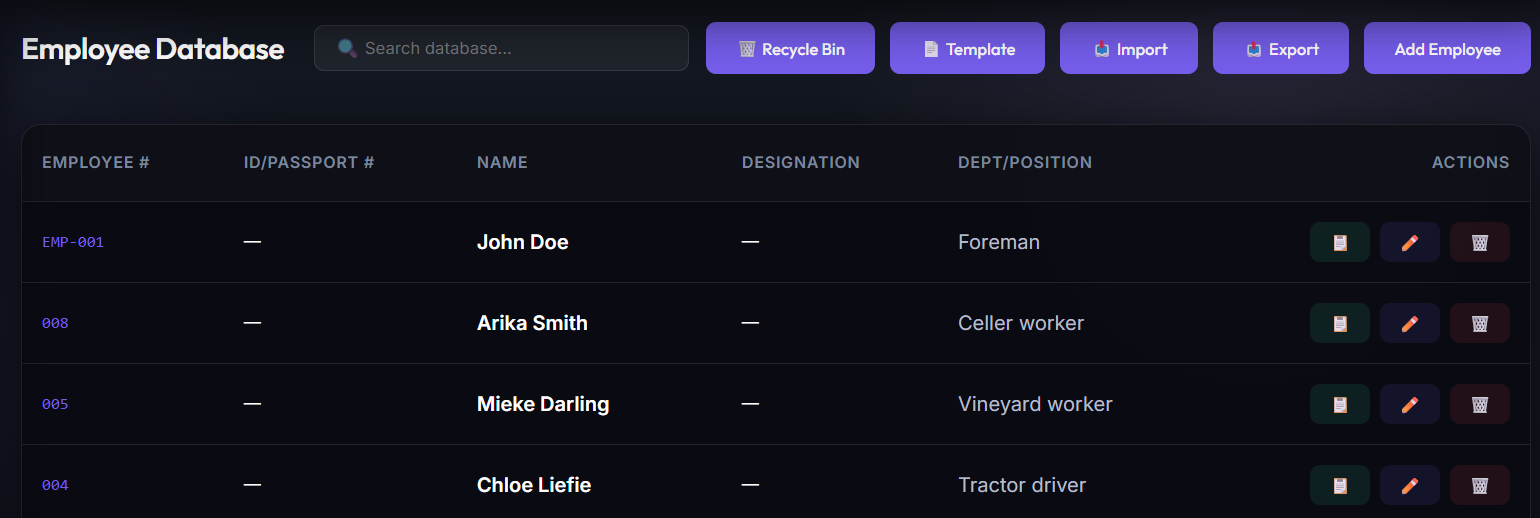
Module 2: Roster Management & Granular Access Control
Omnisafe references staff by unique Employee Numbers, which act as the relational backbone of the entire system. Roster records capture identity details, occupied departments, positions, employment statuses, and contact scopes.
Granular Role Management
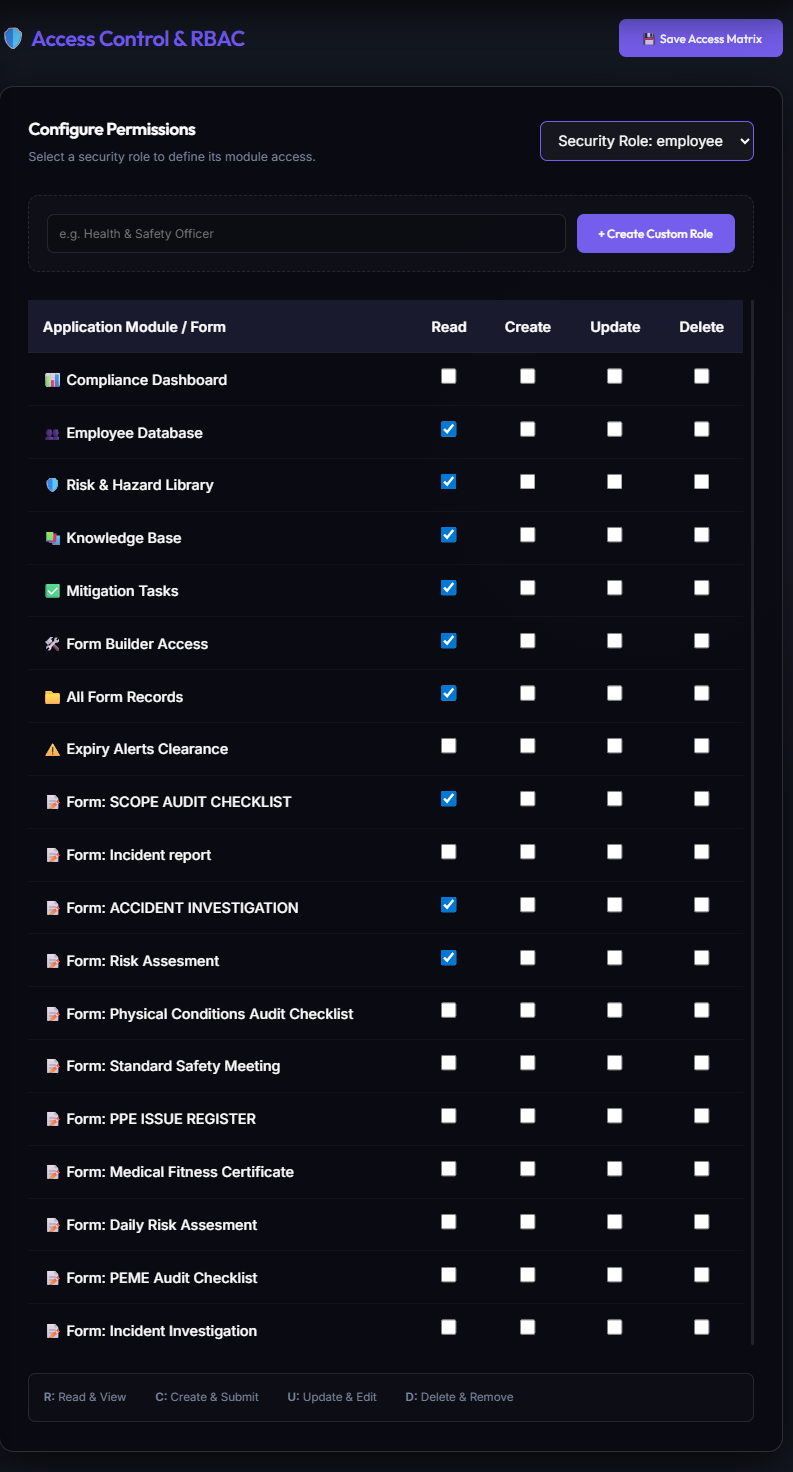
To safeguard sensitive data, Tenant Administrators configure custom Roles (Manager, Safety Rep, Clerk) and toggle individual **Create, Read, Update, Delete (CRUD)** permissions on a per-page, per-table basis.
Detailed Employee Profiles
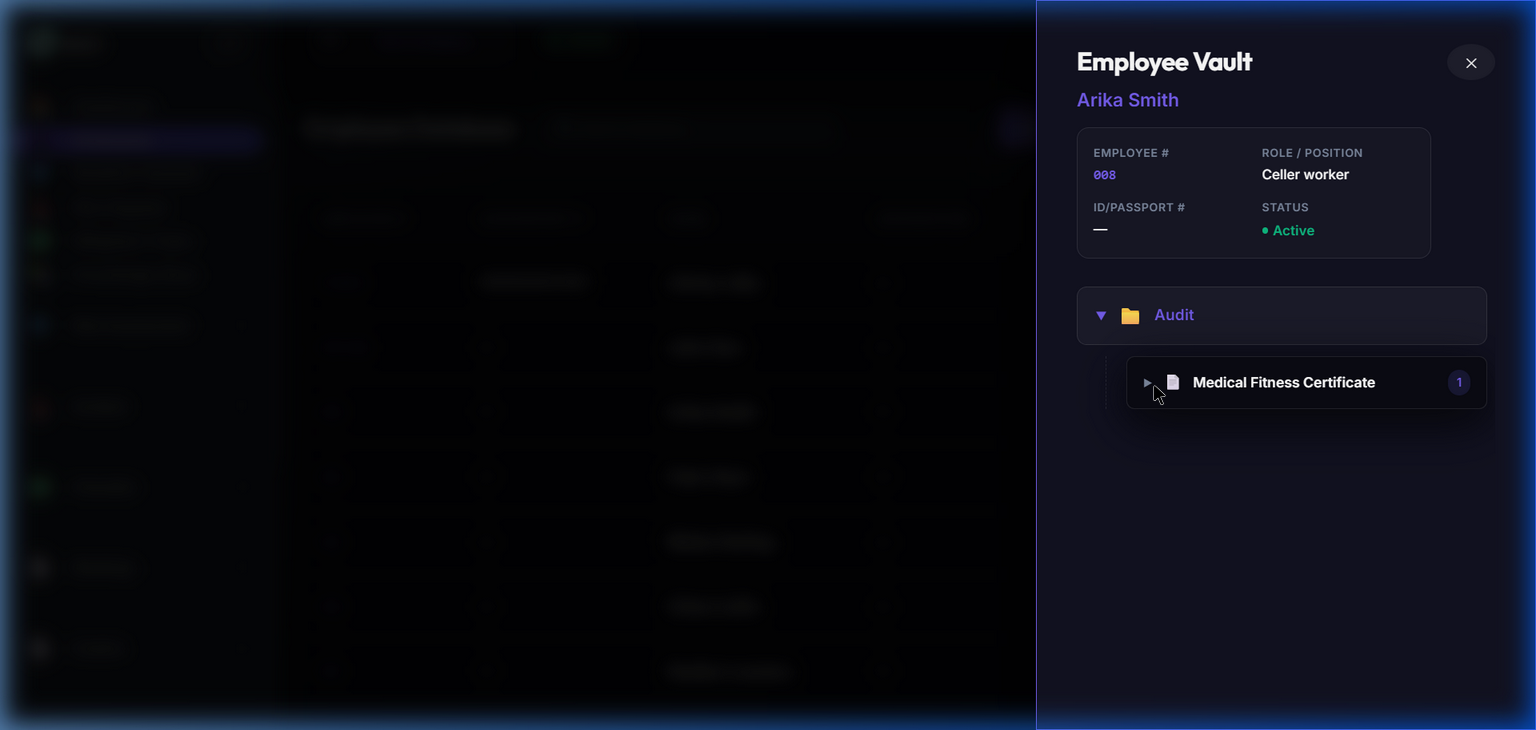
Selecting an employee opens their primary dossier. This displays HR profiles, active contracts, safety training inductions, qualifications, and personal safety equipment records in a unified view.
Module 3: Safety File Indexes & Document Vaults
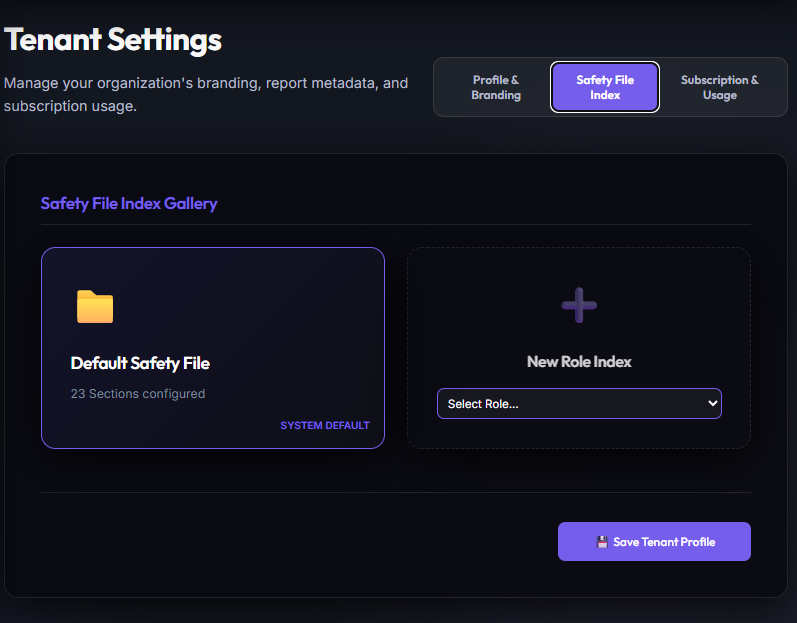
The Safety File Index provides an organized compliance checklist structure. Document uploads (compensation certificates, SARS standings, driving permits, medical clear cards) undergo a rigorous audit verification workflow.
Defining Safety File Index Requirements
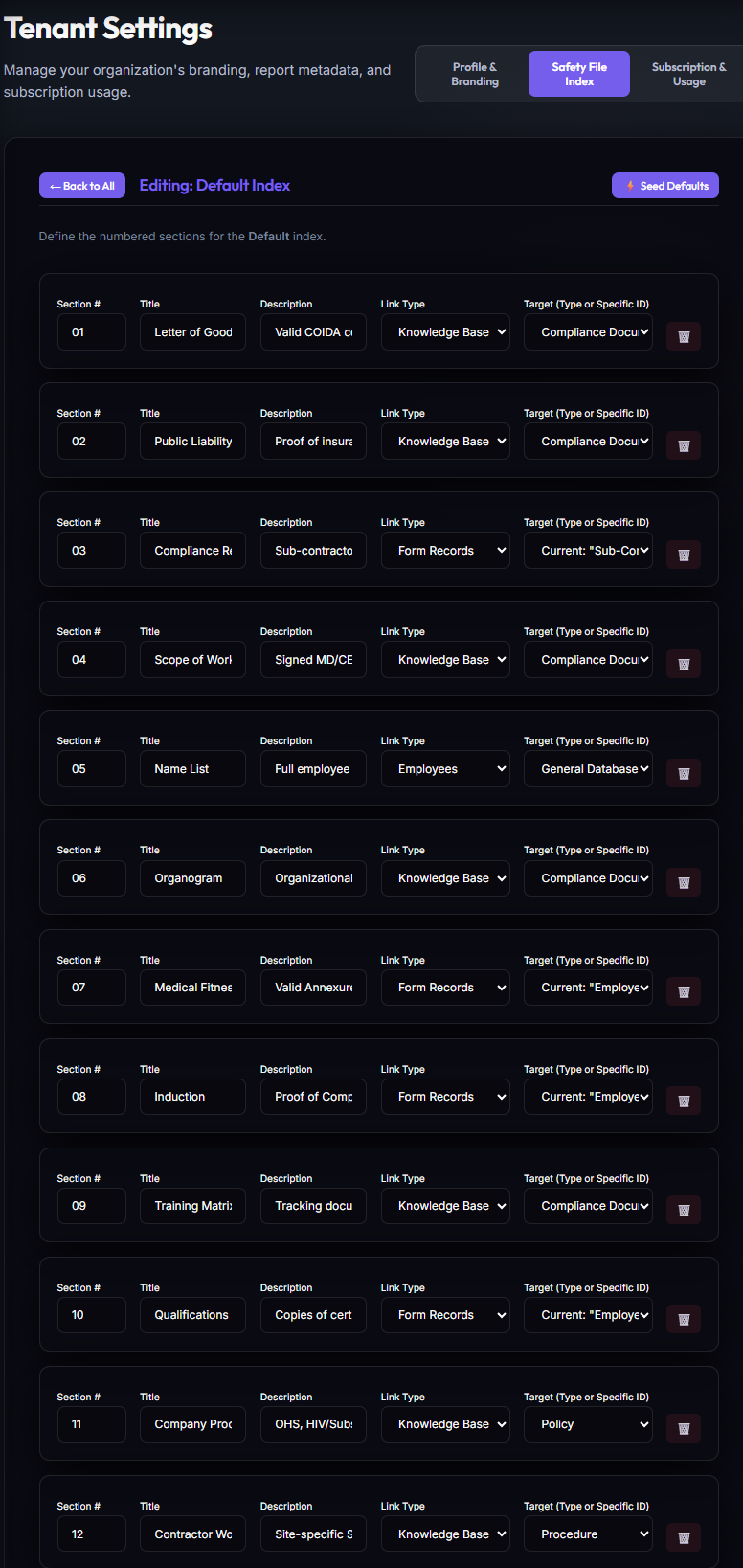
From Tenant Settings, administrators define mandatory safety checklists. They establish links, choose required frequencies, and decide target bindings (global vs specific employee).
Linking Index Items to Employees
Administrators can link a requirement directly to an employee record. Users can navigate from the Safety File index to specific vaults and inspect individual qualifications.
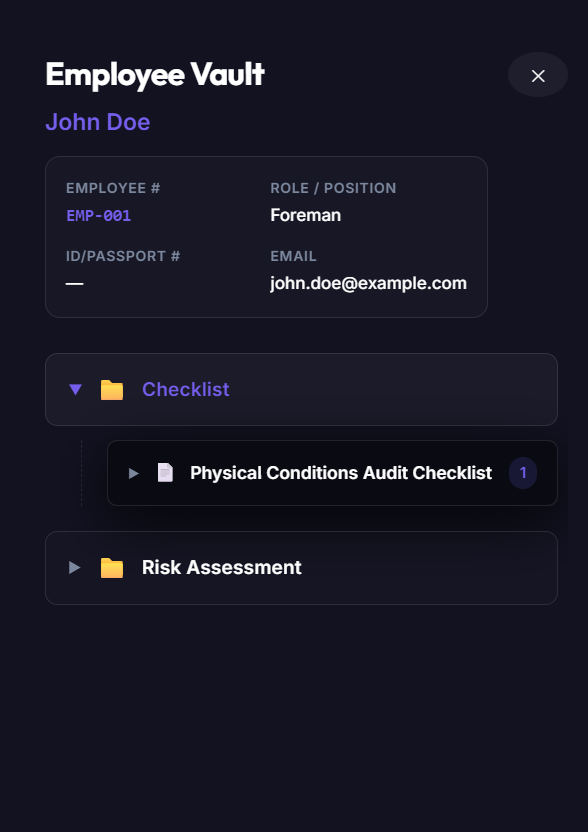
Employee Safety Vaults
Selecting an employee's index opens their personal storage vault. This lists all physical document evidence uploads alongside their validity dates.
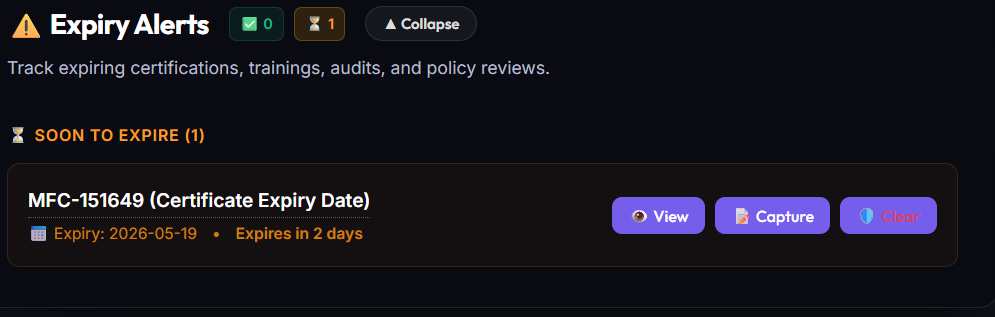
Expiry Alert Banners
When a document approaches its expiration date, the system triggers high-visibility warning banners across related managers dashboards, alerting them 30 days in advance.
Module 4: Risk Mitigation & Task Tracking
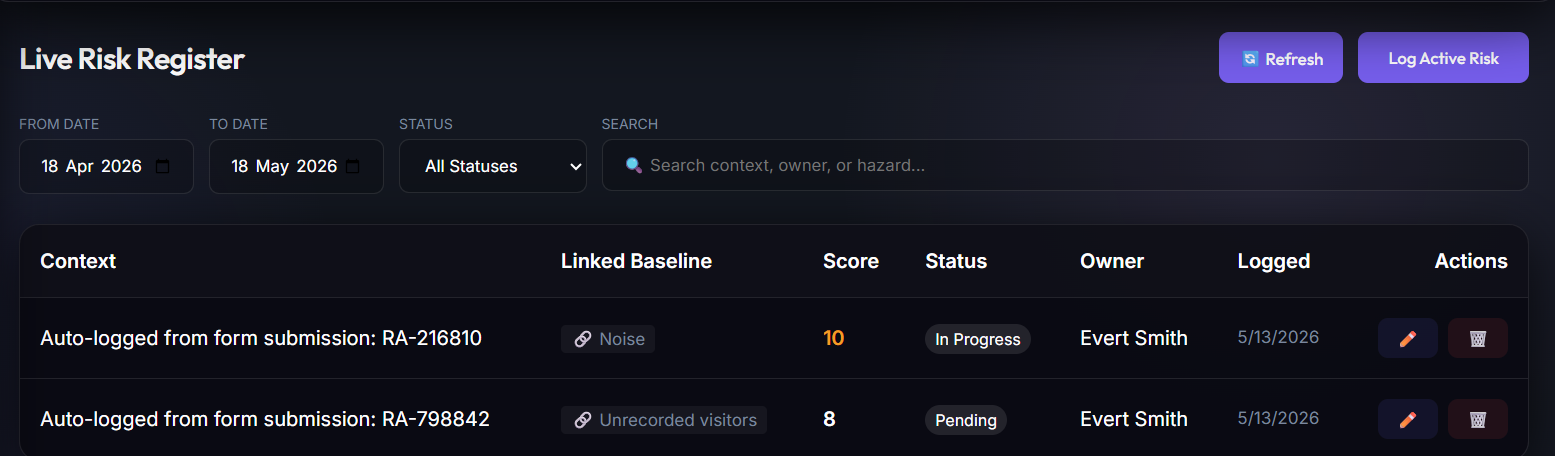
Omnisafe features a Live Risk Register. Rather than entering hazards as static text, inspections link safety occurrences to registered hazards. This gives administrators quantitative data regarding mitigation efficacy.
Live Risk Registry
Identified hazards are compiled in a central directory, mapping out exposure details, department allocations, inherent risk metrics, active controls, and review cycles.
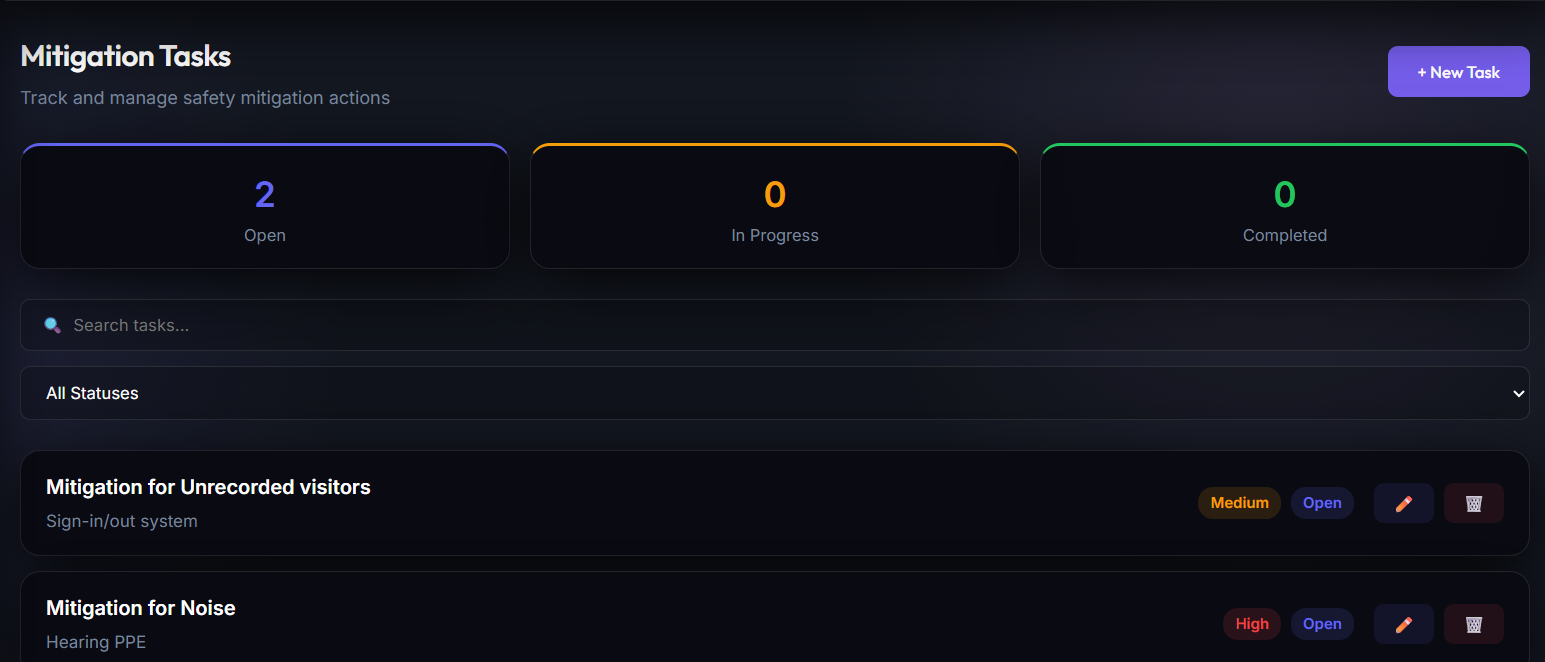
Corrective Task Assignments
When a hazard is logged during an assessment, safety reps assign immediate corrective tasks to site supervisors. Tasks display due dates, progress states, and action owners.
Module 5: WYSIWYG Form Builder & Checklist Templates
The integrated Form Builder allows Tenant Admins to decommission paper checklists. They can create interactive, compliant digital forms with deep field-validation parameters, conditional visibility, and mandatory digital signatures.
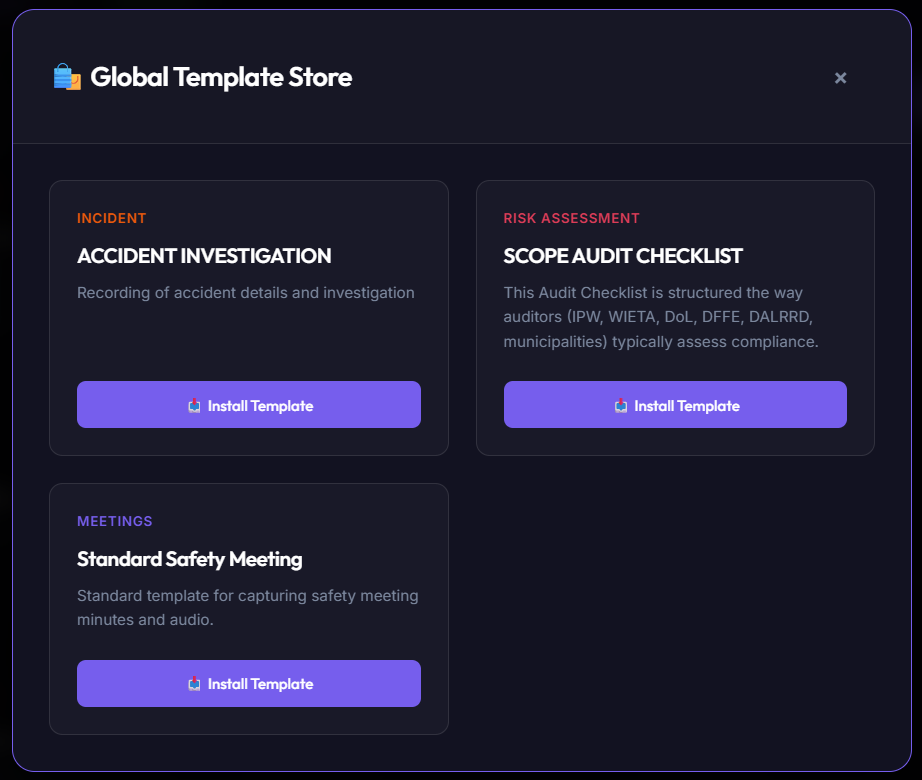
Seeded Templates Store
The Template Store provides a library of pre-configured regulatory checksheets (OHS inspections, forklift pre-uses, incident statements) ready to import into the tenant workspace.
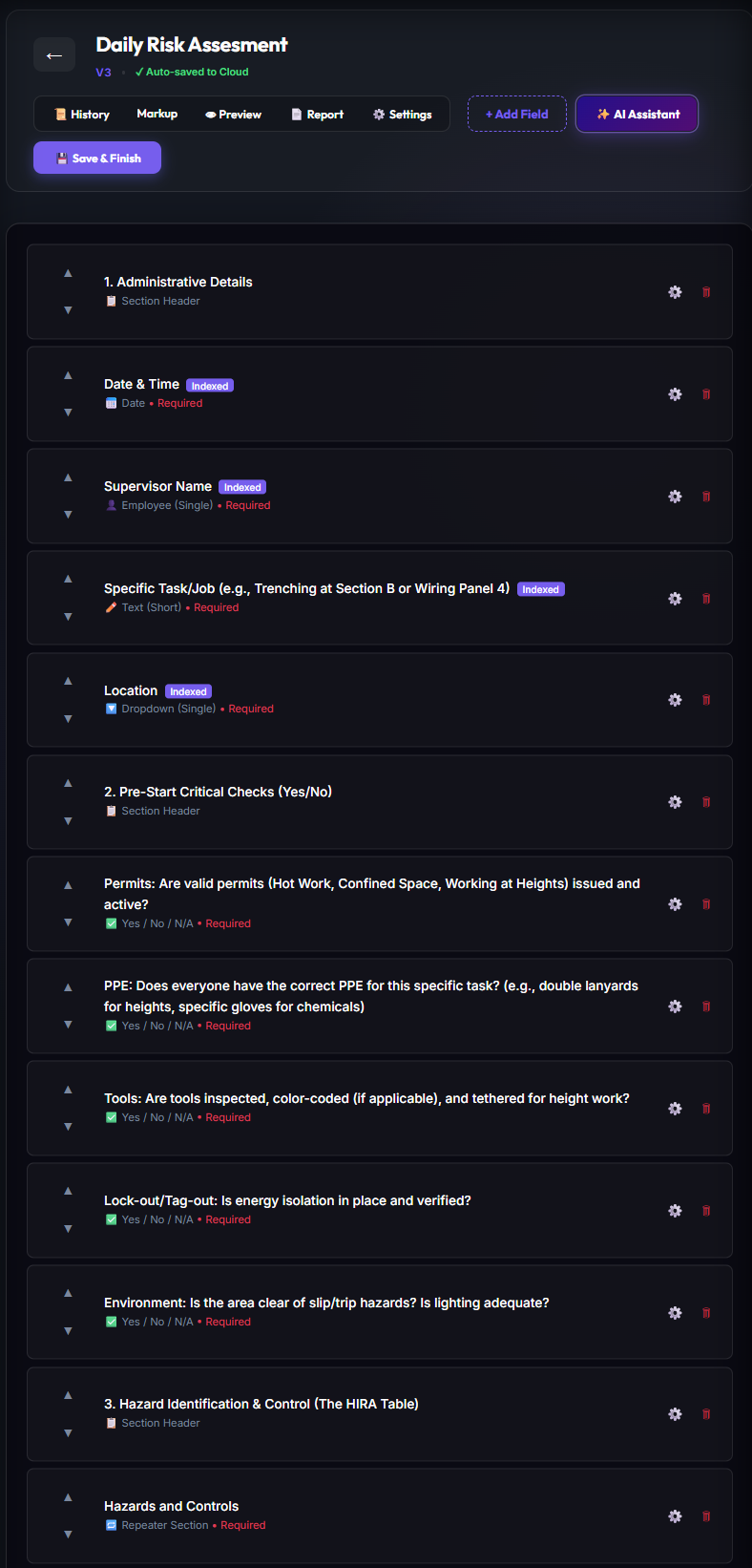
Custom Form Builder Design Workspace
The drag-and-drop workspace allows administrators to design form fields, place layout spacers, establish logical branching rules, and customize submission actions.
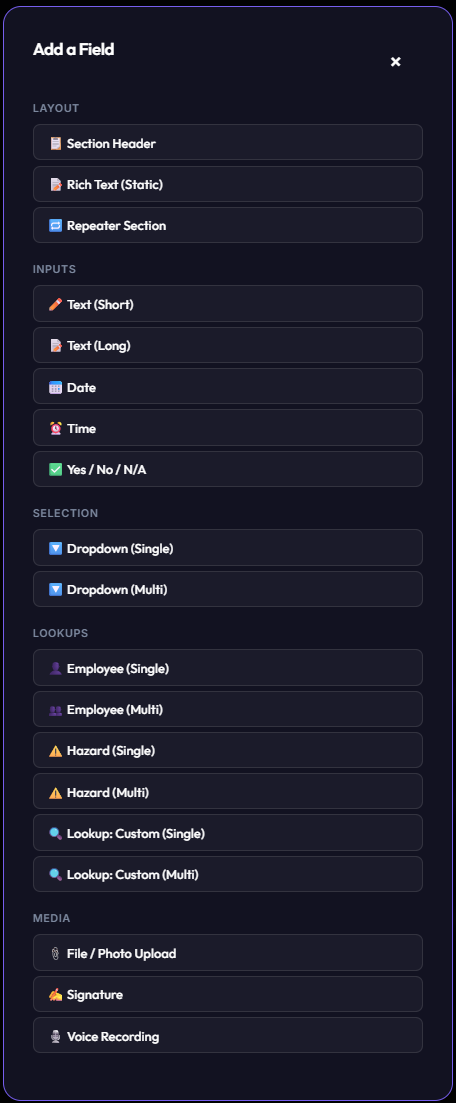
Rich Input Fields Library
A dynamic form supports diverse input types: numbers with validation limits, checkboxes, signatures, custom lookup selectors, and audio-recording summarizes.
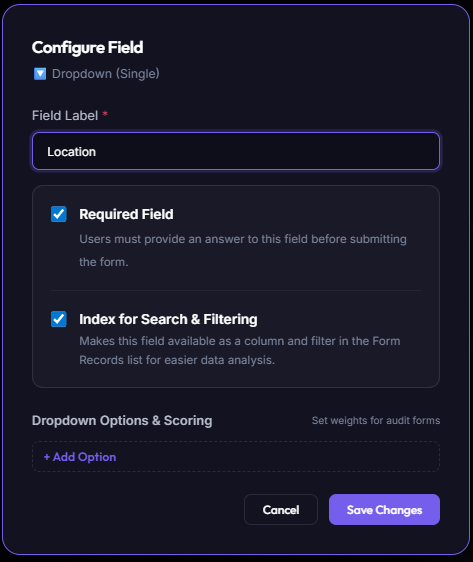
Advanced Option Lists Configurations
Dropdown elements can load directly from dynamic tenant Option Sets, linking checklist selections to live database registers.
Detailed Controls Directory & Configuration Matrix
The WYSIWYG Form Builder exposes a rich catalog of input fields. Each control supports advanced configuration options and compliance scoring parameters to enforce absolute audit compliance.
| Control Type | Primary Use Cases | Advanced Configuration Options | Scoring & Compliance Weight |
|---|---|---|---|
| Layout Elements | |||
| Section Header | Organizes complex forms into distinct structural steps, sections, or categories. | Custom header typography styles, collapsibility settings, descriptive optional subtext. |
Neutral
Structure only; has no scoring weight.
|
| Rich Text (Static) | Displays inline operating instructions, terms and conditions, safety rules, or legal warnings. | Full Markdown and rich HTML rendering, text alignments, embedding static hyperlinked resources. |
Neutral
Static read-only context block.
|
| Repeater Section | Sub-tables or looped inputs (e.g. logging crew member details or multiple equipment checklist statuses). | Dynamic row generation (add/remove items), strict minimum and maximum loop limits, child field nesting permissions. |
Neutral *
Propagates compliance scoring of nested child controls.
|
| Inputs | |||
| Text (Short) | Serials, license numbers, tags, or quick employee names. | Regex validation patterns (e.g. custom permit formatting constraints), character length boundaries, placeholders. |
Neutral
Holds raw alphanumeric text data.
|
| Text (Long) | Narrative summaries of occurrences, detail investigations, and corrective justifications. | Paragraph spacing settings, minimal length boundaries, and text auto-expand heights. |
Neutral
Holds qualitative context summaries.
|
| Date | Safety induction dates, validity certificates, incident calendar logging. | Restricted date limits (past only / future only / specific ranges), timezone stamps, preset default dates. |
Neutral
Tracks compliance and expiry calendar timelines.
|
| Time | Checking shift times, logging emergency events, or equipment checklist tracking. | Time limits (e.g. within operational window), 12/24 hour display modes, current time prefill defaults. |
Neutral
Tracks chronological sequence order.
|
| Yes / No / N/A | Binary checklist inspections (e.g. "Is the backup generator clear?"). | Pass/Fail score mapping, child fields conditional triggers (e.g. require photo ONLY if "No" is ticked), custom failures alerts. |
High / Critical
Drives overall compliance scores; "No" can trigger immediate warning states.
|
| Selection | |||
| Dropdown (Single) | Choosing one value out of a static option catalog list (e.g. Farm Blocks, departments, shifts). | Static list seeding, dynamically loaded backend Option Sets, preset options mapping, conditional layout rules. |
Medium
Can allocate distinct compliance values to specific selection options.
|
| Dropdown (Multi) | Selecting all applied options (e.g. indicating which safety gears were verified on team roster). | Multi-select parameter bounds (e.g. select at least 2), dynamic option arrays, and tokenized badges display. |
Medium
Aggregates items checked; score can change with quantity selected.
|
| Lookups | |||
| Employee (Single) & (Multi) | Assigning single incident owners or identifying multiple crew attendees at a safety toolbox meet. | Filters by operational status, specific department exclusions, dynamic user profiles popup links. |
Neutral
Establishes secure, linked HR roster isolation records.
|
| Hazard (Single) & (Multi) | Linking checklist safety violations directly to one or more baseline organizational Risk Library hazards. | Filters by risk levels (Critical only), department risk indexes, live linked mitigation progress indicator drawers. |
Neutral
Allows structural threat tracking and statistical reporting.
|
| Lookup: Custom (Single) & (Multi) | Connecting checklist inputs directly to backend databases (e.g. assets tables, chemical registers, vehicles). | Dynamic SQL Data Connect queries binding, multi-selector allowances, structural reference properties maps. |
Neutral
Enables deep relational schema lookup integrations.
|
| Media | |||
| File / Photo Upload | Submitting on-site incident photos, certificate uploads, physical damage proof. | Mandatory live-camera enforcement (blocks loading pre-existing gallery images), custom compression thresholds, barcodes scan limits. |
Medium
Critical for empirical evidence; can block submission if missing on safety failures.
|
| Signature | Binding operator compliance agreements, incident witness sign-offs, supervisor approvals. | Embedded GPS coordinates mapping, UNIX datetime stamps hashing, signee user-role alignment checks. |
High
Enforces absolute legal accountability and audit trial validation.
|
| Voice Recording | Hands-free compliance note capture, high-fidelity audio recordings of on-site toolbox briefs. | Audio format compression settings, auto-transcription mapping variables, speech language profiles. |
Neutral
Saves rich voice context metadata alongside checklists.
|
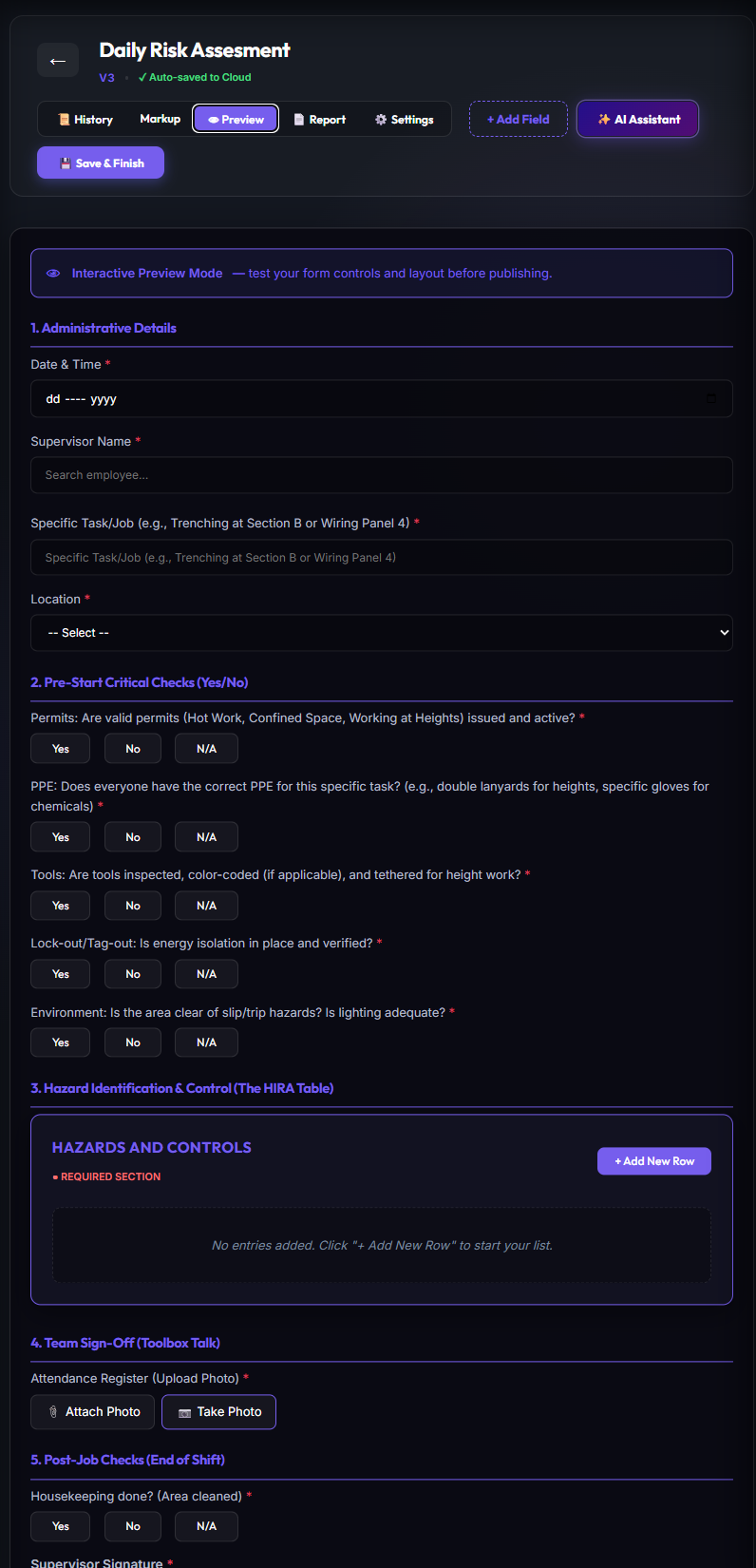
Pre-Publication Test Sandbox
The **Live Preview Sandbox** allows creators to thoroughly test validation limits, voice summarizing features, and formatting behavior before publishing templates live.
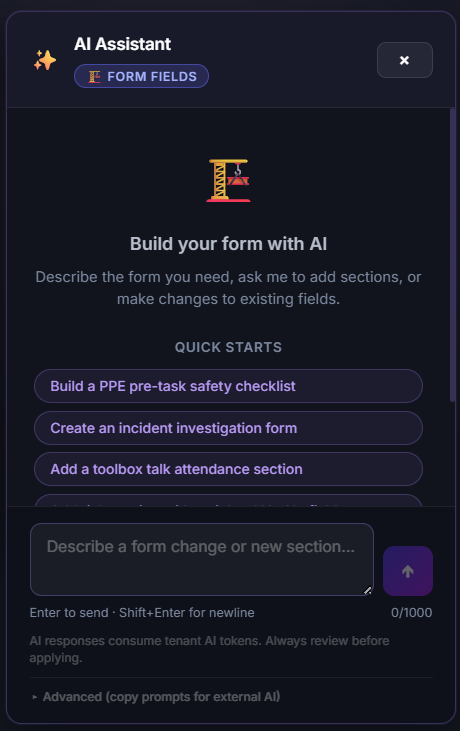
AI Field Mapping Assistant
Omnisafe leverages a secure **AI Assistant** inside the Form Builder. This tool maps custom fields to existing backend data structures, drafts report templates, and suggests field types based on compliance standard prompts.
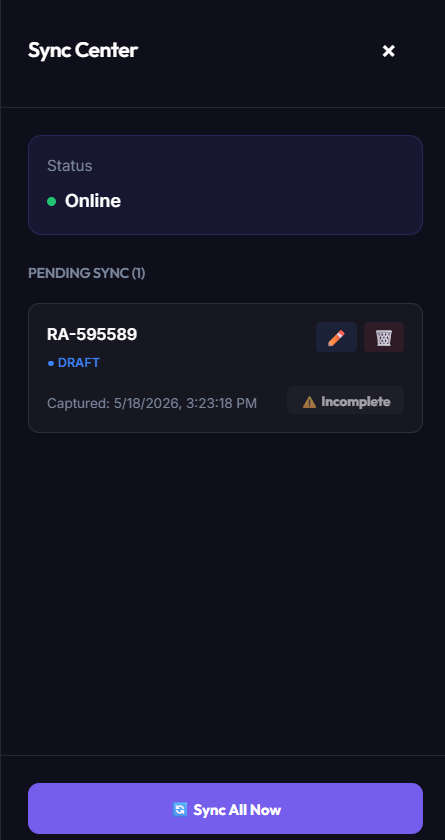
Module 6: Offline Sync Centre & Submission Audits
Field blocks and remote workshops often lack stable cellular connectivity. Omnisafe uses a local **Offline Sync Centre** to manage local drafts in IndexedDB until a network connection is detected, ensuring data integrity.
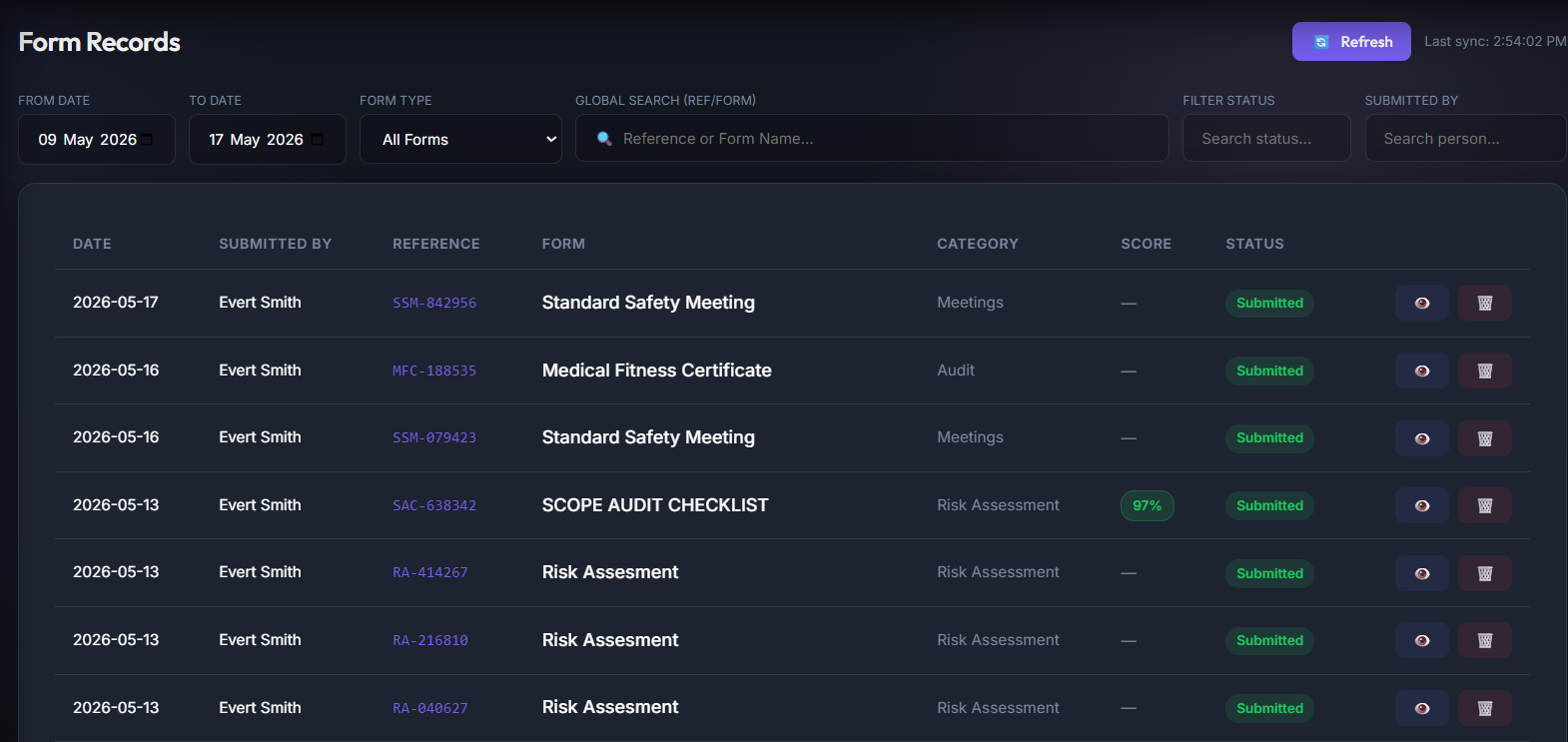
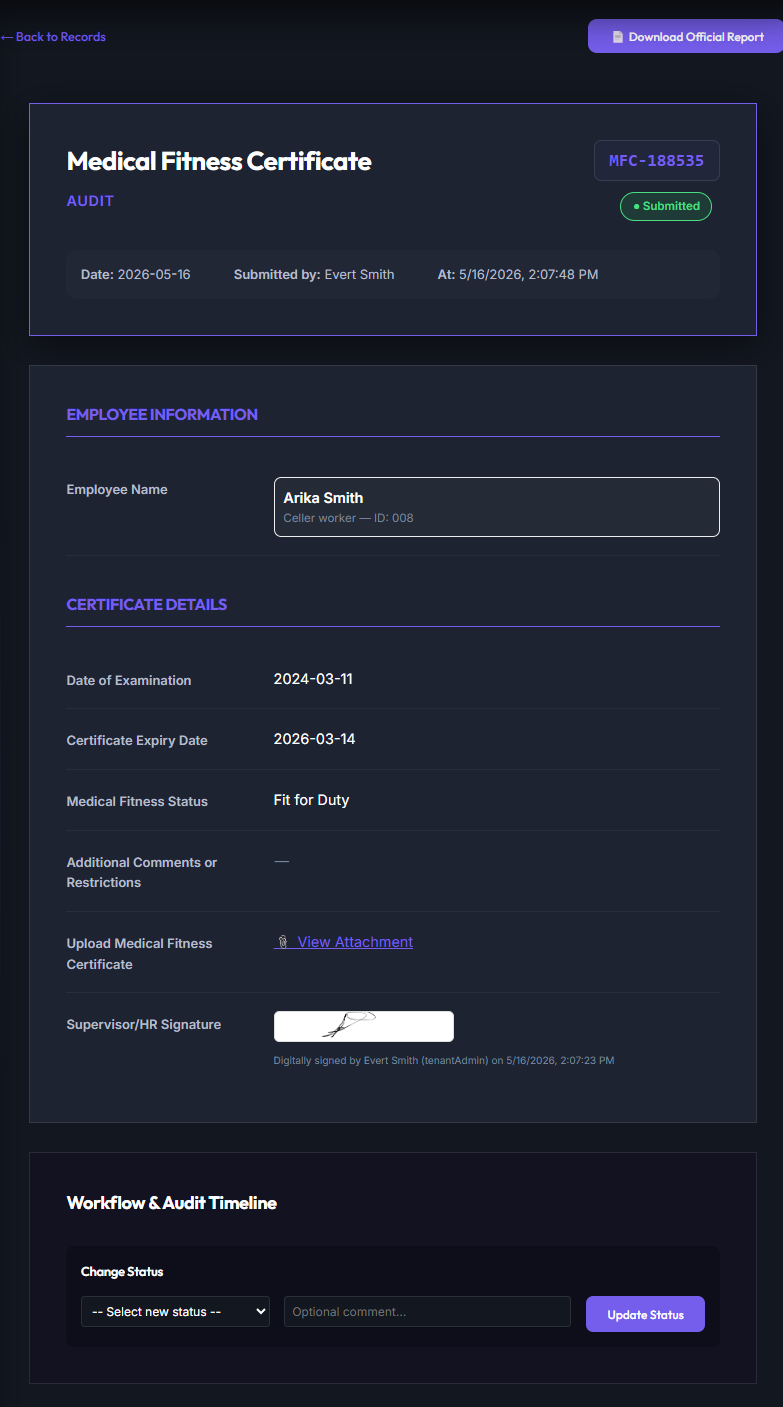
Submitted Form Detailed Audit View
Selecting a submitted checklist displays the **Detailed Audit View**. This panel presents the raw transactional log, validation checkpoints, uploaded media files, and digital signature records.
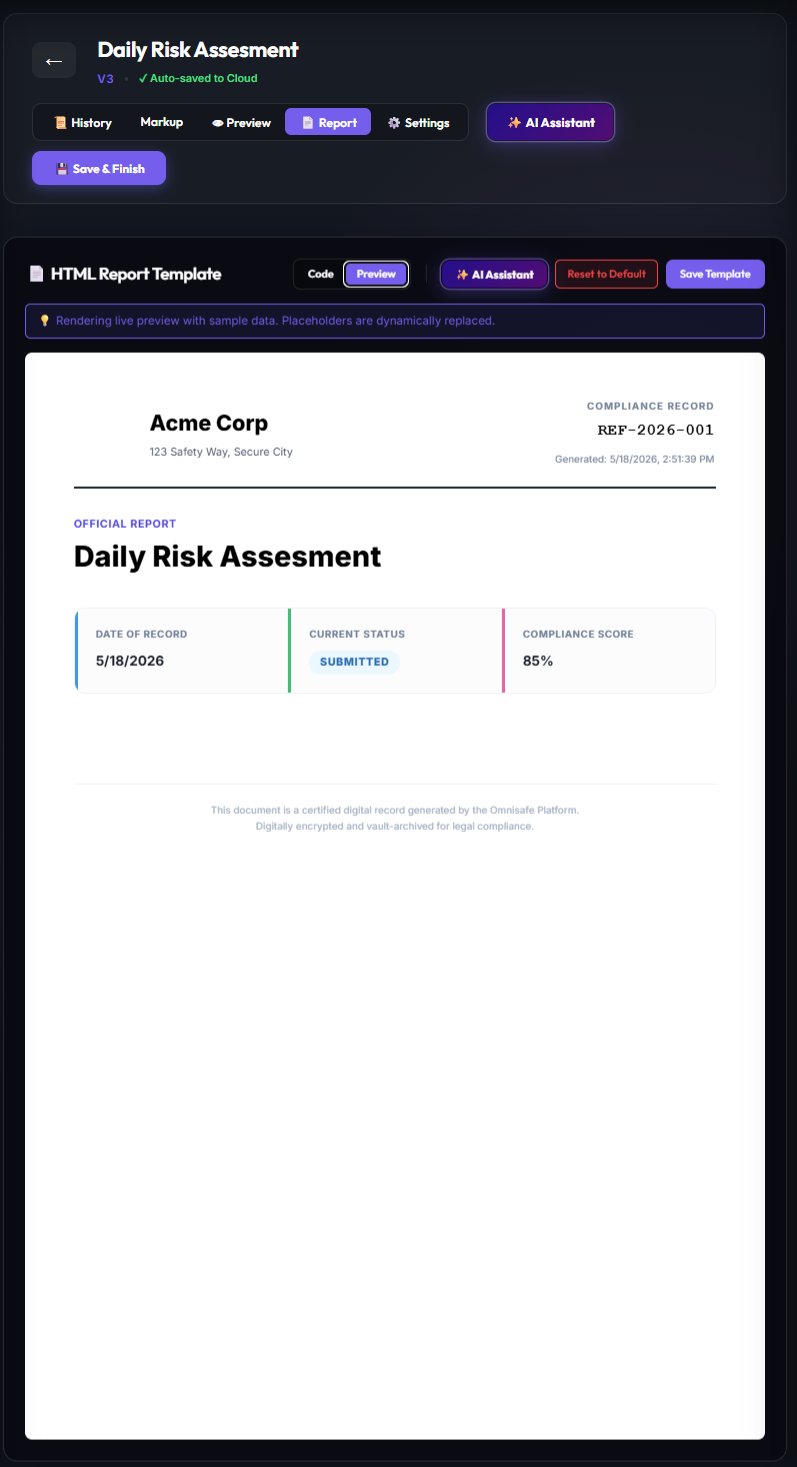
PDF Report Template Designer
Administrators can format PDF export templates to meet corporate styling guidelines. You can define exact A4 portrait margins, add header logos, place dynamic data tables, and configure signature blocks.
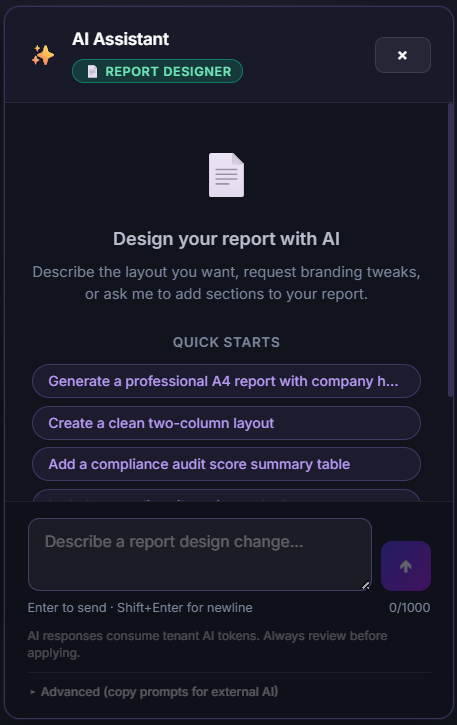
The integrated **AI Report Assistant** automates the formatting process, allowing administrators to prompt the builder to structure double-column margins, apply company logo themes, and dynamically map table columns.
Module 7: Policies & SOP Knowledge Base
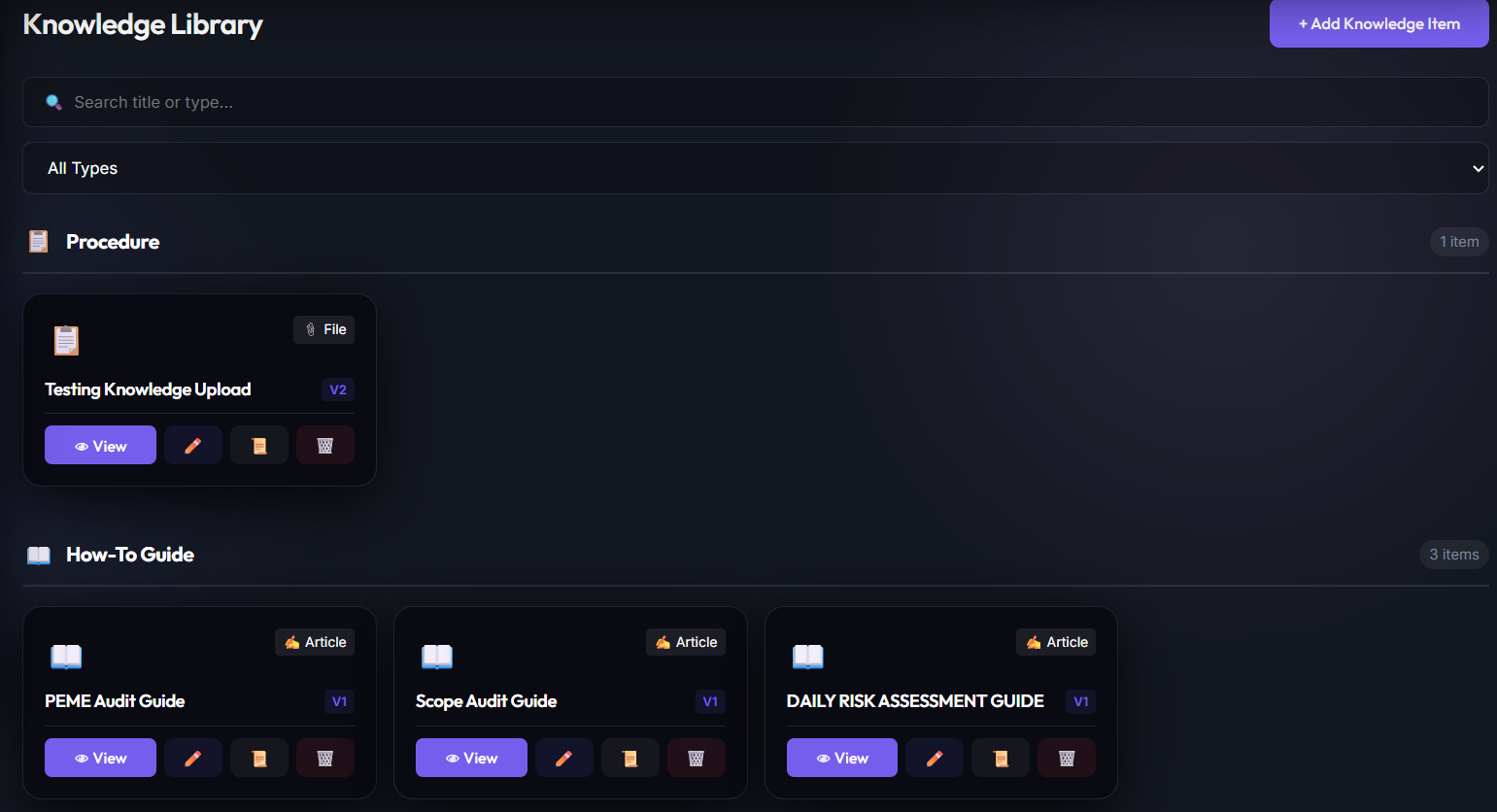
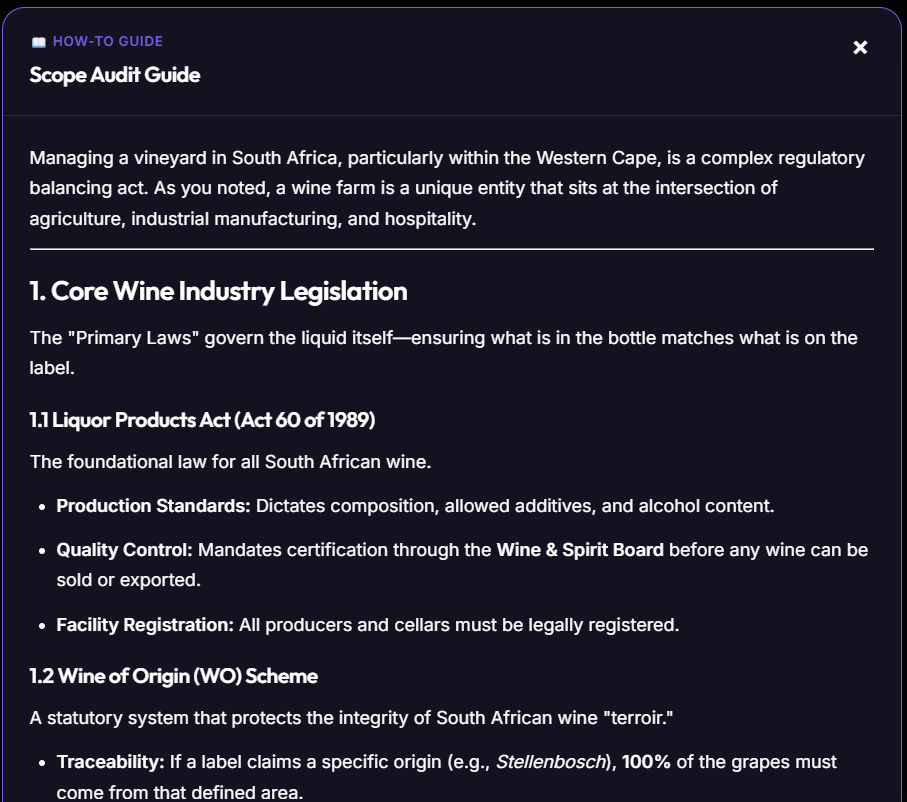
The Knowledge Library houses standard operating procedures (SOPs), safety policies, emergency protocols, and regulatory references, linking them to daily on-site safety assessments.
Global Policies, Procedures, Work Instructions etc. Library
This module displays structural induction packets, chemical safety handbooks, first-aid workflows, and legal policy updates.
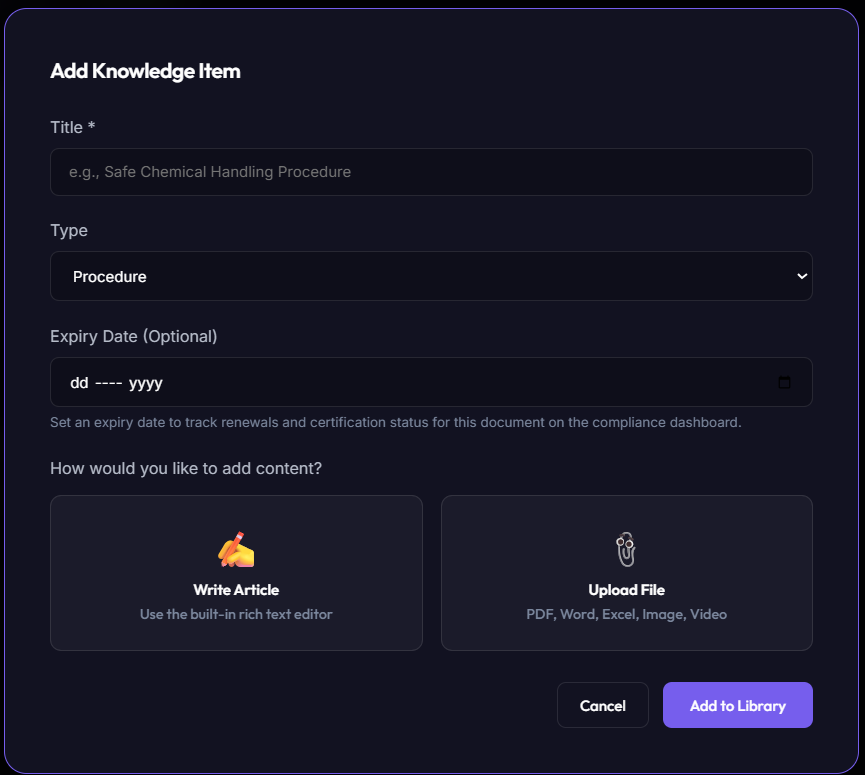
SOP Entry Editor
Safety officers enter corporate SOPs using this interface. They can add compliance references, upload PDF copies, and assign mandatory re-induction schedules.
Module 8: Voice AI Transcriptions & Meeting Notes
Omnisafe includes a **Voice AI Notes** system. This feature converts meeting discussions or field observations into summarizations, actionable checklists, and task registers based on standard compliance prompts.
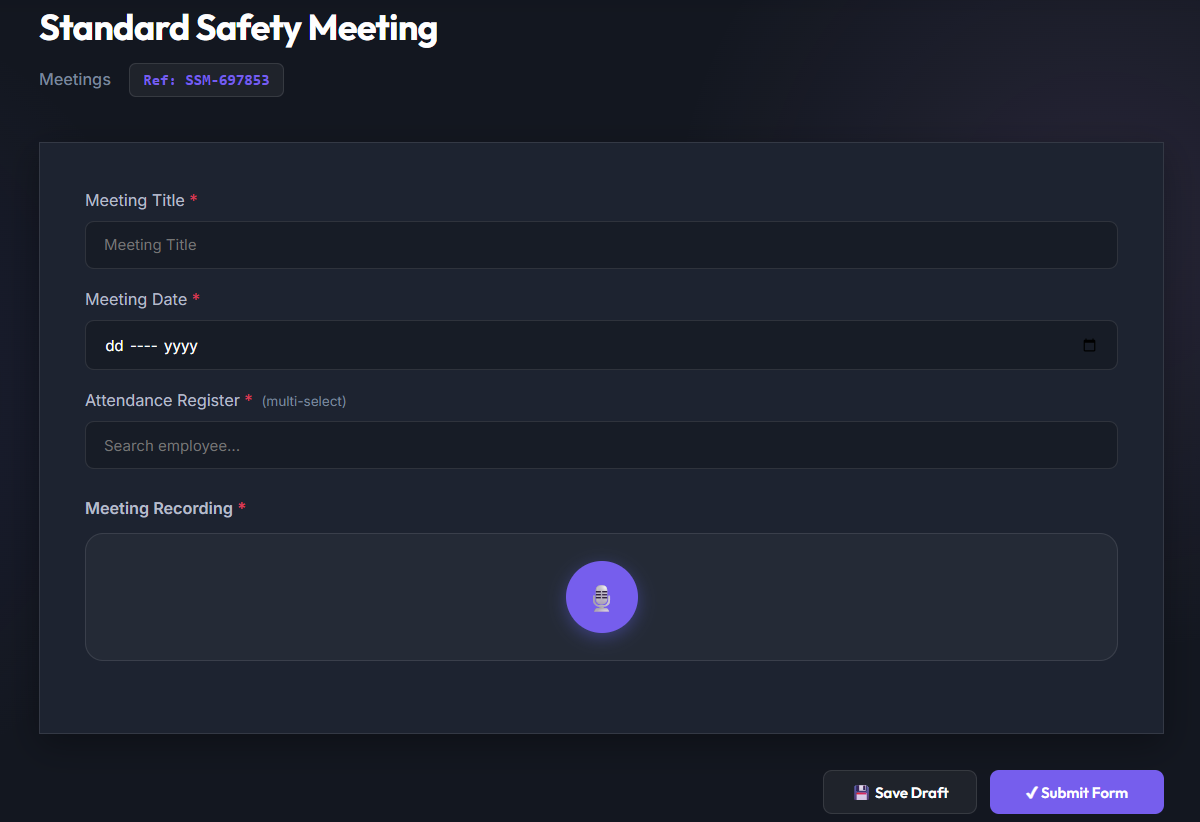
Recording Compliance Meetings
Supervisors record toolboxes or daily updates directly in the app. The system streams audio to our secure cloud transcription services.
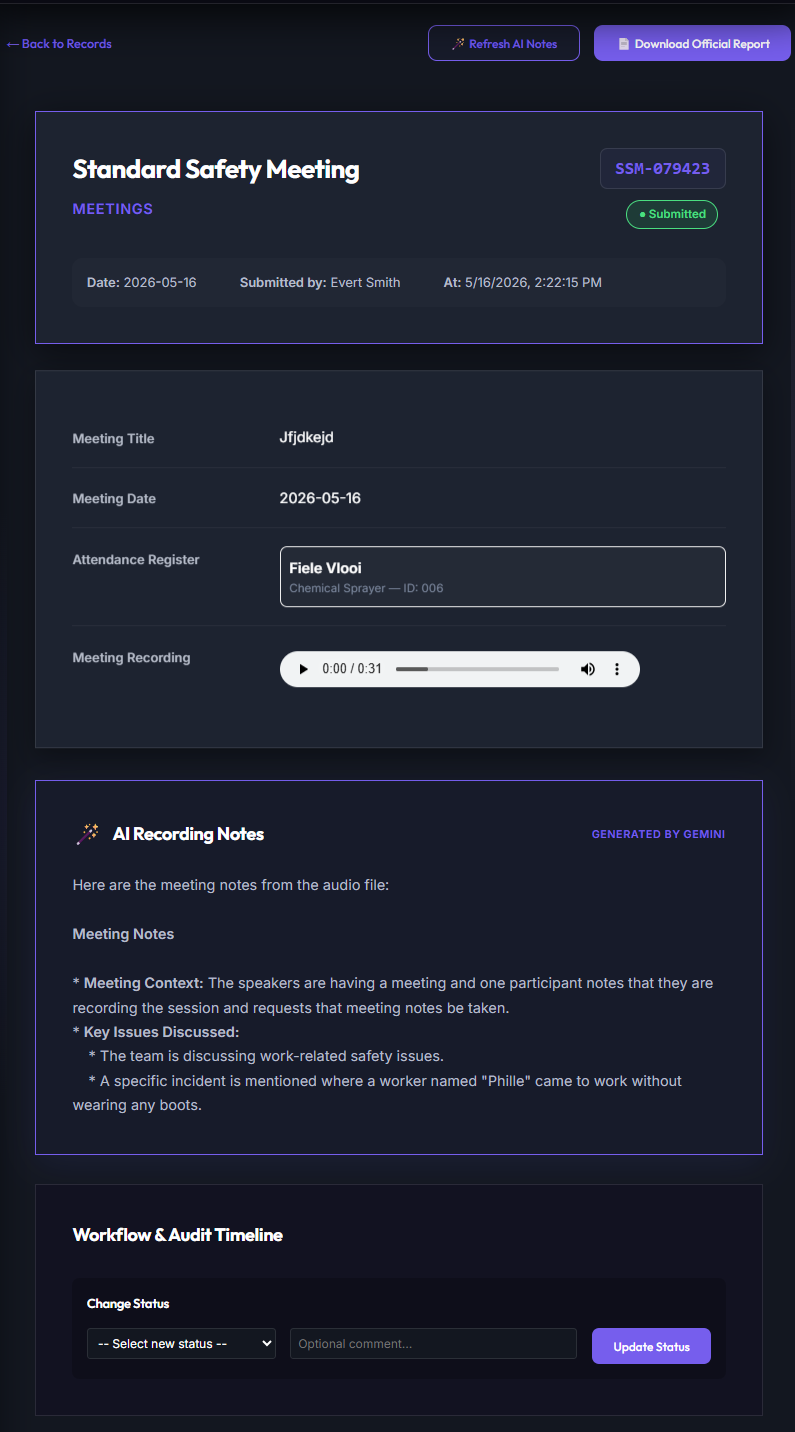
AI-Generated Summaries & Task Registers
Our AI engine analyzes the transcription to generate summaries, action items, assignees, and target dates in the workspace.
Role-Specific User Journeys
Omnisafe uses robust, role-based authorization rules to ensure compliance data isolation. Below is the interactive mapping of operational user roles, expected permissions, and standard workflows.
The master bootstrapping role with administrative ownership over the entire tenant workspace directory. Responsible for general configuration and legal isolation setup.
Core Daily Journey:
- Tenant Setup: Creates the workspace and configures sector properties, storage folders, and region properties.
- Roster Maintenance: Invites employees to join the tenant, assigning dedicated operational roles (Safety Officer, Site Supervisor).
- Master Seeding: Enters the first batch of Hazards in the Risk Library and populates the employee ledger with correct numbers.
- Audit Oversight: Oversees records across all modules, correcting formatting issues or removing invalid duplicate entries.
Oversees daily operational efficiency, equipment checklist compliances, hazard occurrences, block safety metrics, and employee rosters.
Core Daily Journey:
- Status Check: Reviews workspace KPIs, monitoring checklist completion and unresolved safety complaints.
- Attendance: Logs team attendance on-site, syncing records with individual employee databases.
- Risk Assessment: Reviews the risk matrix before assigning heavy machinery operators to complex tasks.
- Leave Administration: Reviews and approves employee leave applications, assigning proxy supervisors.
Responsible for daily on-site safety assessments, hazard mitigations, incident logs, corrective actions, and first-aid compliance.
Core Daily Journey:
- Safety Audits: Conducts daily physical conditions checklists and equipment OHS inspections.
- Incident Investigations: Files records for any accidents, near misses, or active hazards reported on site.
- Action Tracking: Allocates corrective procedures to site supervisors, monitoring compliance until resolution.
- Risk Development: Builds templates in the Hazard Library, mapping residual severity risks for company reference.
Manages employees personal files, competency indices, qualifications certificates, medical clearances, and regulatory training matrices.
Core Daily Journey:
- Employee Registration: Keeps employee database files current (occupations, IDs, personal records).
- Training Audits: Enters completed first aid, hazardous chemical licensing, and forklift competency certifications.
- Medical Tracking: Audits annual physical examinations, flagging upcoming expirations inside specific safety vaults.
Maintains operational audit alignment, global company files, tax standing records, SARS certifications, and liability document uploads.
Core Daily Journey:
- Vault Organization: Uploads fresh SARS, public liability, and tax status certificates into corporate storage.
- Audit Preparations: Exports historical checklist sheets and signatures as auditor compliance evidence packs.
- SOP Checks: Links newly issued government safety mandates directly into the static Knowledge Library.
Global SaaS platform superuser. Operates outside individual tenant contexts, managing the general system framework, support tickets, and performance.
Core Daily Journey:
- SaaS Status: Monitors global server structures, Data Connect queries, and storage usages.
- Tenant Onboarding: Bootstraps complex multi-company registrations, managing database boundaries.
- Support Interventions: Evaluates storage allocations, metadata corruption issues, and query failures.
- Data Operations: Reviews general platform statistics, confirming all transactional data routes through SQL Connect.